Initial Installation and Login
To install Fleetboard Cockpit on your computer, please proceed as follows:
|
1.
|
Enter the address www.fleetboard.com into the address line of your browser.
|
This will call up the Fleetboard Website.
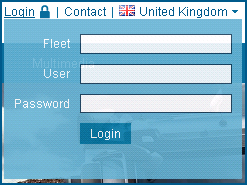
You will then get to the start-up page of the Fleetboard Web GUI.
Follow the instructions given here to install Fleetboard Cockpit.

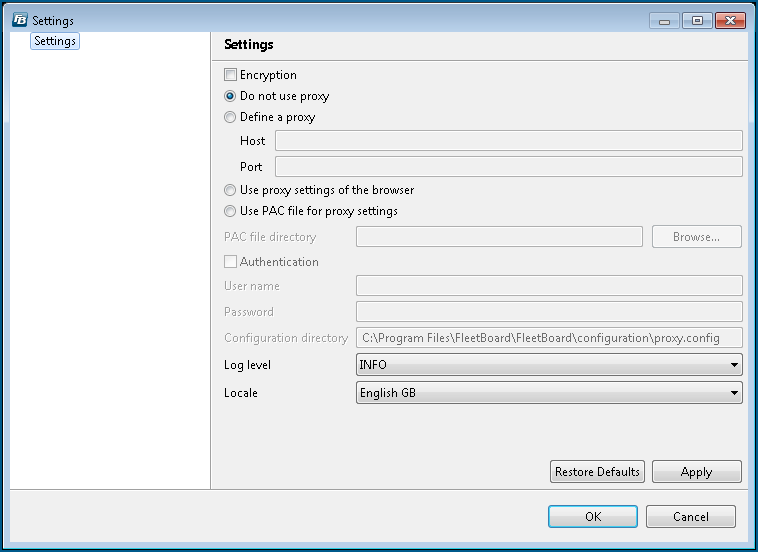
The Settings dialogue box is opened.
|
If the Settings dialogue box is not opened automatically, click on the
 button in the login window in order to open the window. button in the login window in order to open the window. |
|
4.
|
Activate the encryption by ticking the Encryption checkbox.
|
The following settings depend on your network configuration:
|
5.
|
If you are not using proxies, tick the Do not use proxy checkbox.
|
|
g
|
|
g
|
|
g
|
|
7.
|
Specify the Log level on which the logging is to be performed. In this case, the INFO log level is the default setting which you should only change upon instruction by the Fleetboard Support.
|
|
8.
|
Under Locale, select the desired language for the user interface.
|
|
9.
|
Click OK.
|
|
If you have changed the preset language under Locale, you have to exit Fleetboard Cockpit and restart it. The new language will only be displayed in the user interface after performing these steps.
|
The Settings dialogue box will be closed.
You can now log in, as described in Section Starting Fleetboard Cockpit.
