Request Registration Code
To request a registration code, proceed as follows:

|
2.
|
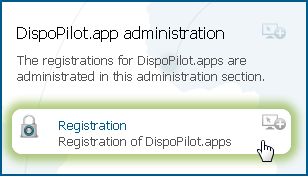
In the Administration section DispoPilot.app administration, click on the Registration button.
|
|
3.
|
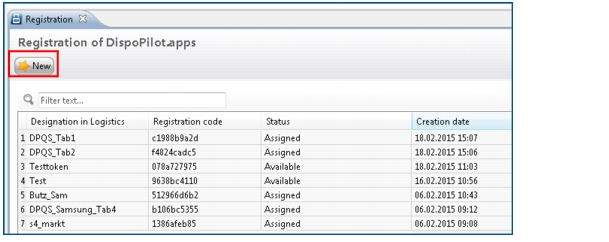
Click New in order to request a new registration code.
|
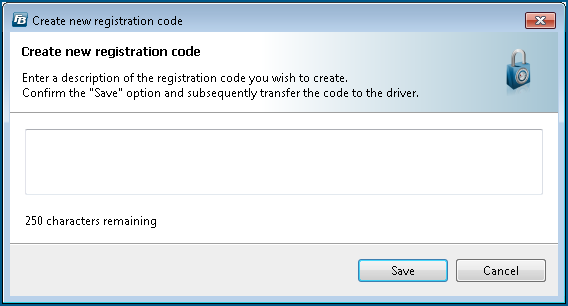
The Create new registration code dialogue box is opened.
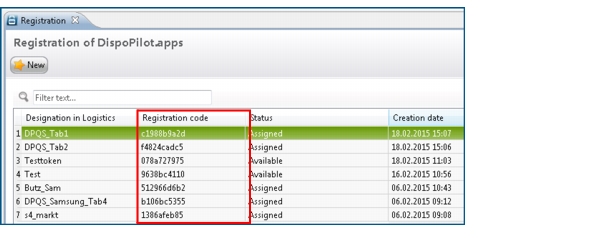
The new registration code for the app is displayed in the list.
|
You can copy the registration code via the right-click function. Right-click on the code and select the Copy registration code option.
|
|
Under Status, the data table shows whether the driver has registered himself for the DispoPilot.app with the code transferred to him. Assigned means that the driver has registered himself successfully with the code. Available means that the registration has not yet been completed and the code has not yet been used.
|
The connection status of the DispoPilot.app with the assigned virtual vehicles is displayed in the Logistics Management service and also in the Messaging service under App status. For further information, please refer to Section Check the App Status.
