Connect the App with a Virtual Vehicle
Send Connection Request to the App
|
1.
|
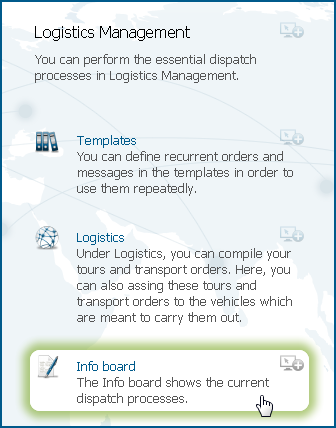
Click the Info board button in the Logistics Management service.
|
|
3.
|
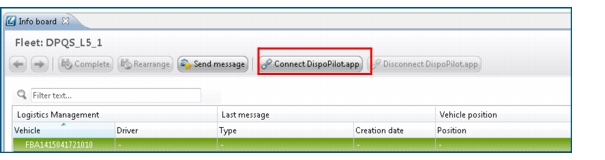
Click the Connect DispoPilot.app button.
 |
|
4.
|
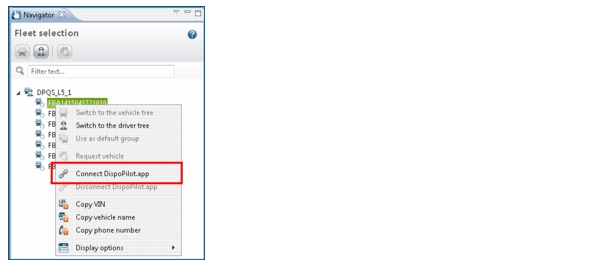
Right-click a vehicle in the Navigator or in the data table and select the Connect DispoPilot.app option.
|
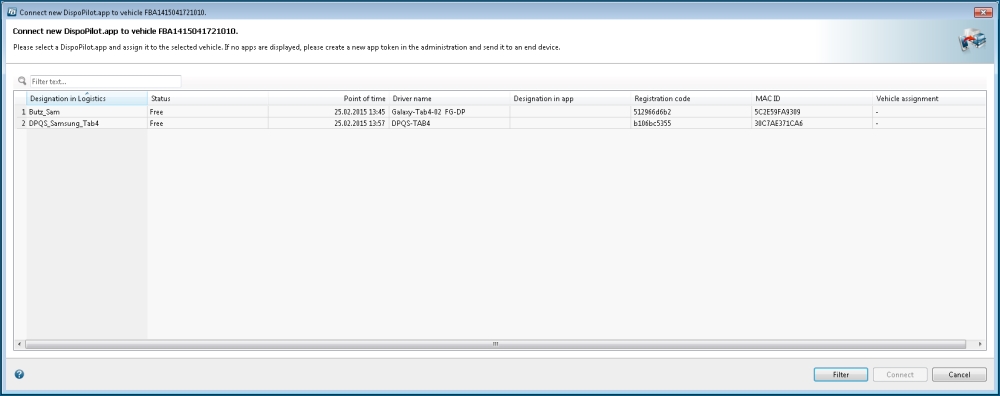
The Connect new DispoPilot.app to vehicle... dialogue box is opened.
|
You can also filter the list with the available apps (with the status Free and Rejected). To do this, click the Filter button.
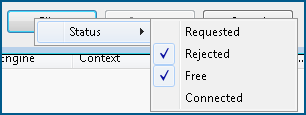 Select whether you are going to display apps which are Free, which have been Requested from the driver or were Rejected by the driver or which have already been Connected with a driver.
|
|
6.
|
Click the Connect button.
|
|
If the status Free is specified for the DispoPilot.app, you can connect the virtual vehicle with the app.
The status Assigned, in contrast, shows that the app has already been connected with a virtual vehicle.
The status Requested means that you have already sent a connection request and that this request has not yet been confirmed by the driver.
The status Rejected means that the driver has rejected a request initiated by you and that the app is ready to receive further requests.
|
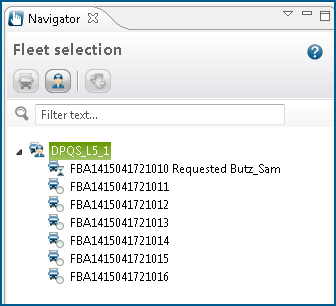
The connection of the virtual vehicle with the DispoPilot.app is requested from the driver.
|
If the connection to the DispoPilot.app is requested from the driver, the vehicle icon with the hourglass
 will be displayed in the Navigator and the attribute Requested will be specified behind the vehicle name. In addition, it is displayed with which DispoPilot.app the virtual vehicle is to be connected. will be displayed in the Navigator and the attribute Requested will be specified behind the vehicle name. In addition, it is displayed with which DispoPilot.app the virtual vehicle is to be connected.If the driver has confirmed the connection with the DispoPilot.app, the vehicle icon will be marked with a green hook
 in the Navigator and the attribute Connected will be specified behind the vehicle name. In addition, it is displayed with which DispoPilot.app the virtual vehicle is to be connected. in the Navigator and the attribute Connected will be specified behind the vehicle name. In addition, it is displayed with which DispoPilot.app the virtual vehicle is to be connected. |
 in the Navigator.
|
The status of the virtual vehicles with the DispoPilot.app is also displayed under Logistics > Dispatch.
|
