Assign a Fleetboard Driver Card to a Driver
To do this, proceed as follows:
|
2.
|
If you double-click on the driver to which you want to assign a driver card or if you select the entry and click on the Edit driver option, you will get to the Master data of the driver.
|
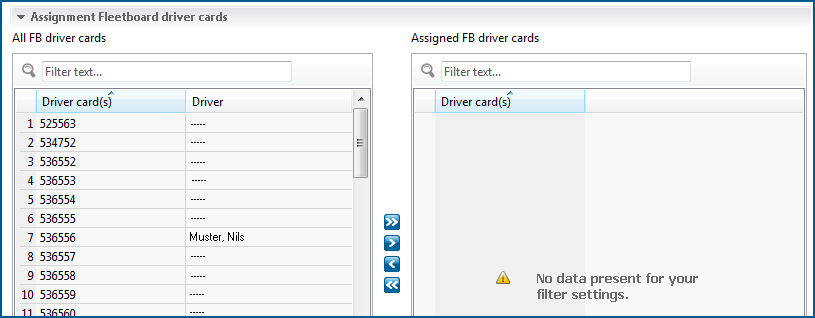
Below the Master data, you will find the Assignment Fleetboard driver cards dialogue box.
|
3.
|
Select the driver card which you want to assign to the driver from the All FB driver cards list.
|
 button.
The selected driver card will now be displayed in the Assigned FB driver cards list.
|
5.
|
Click the Save button.
|
The driver card is now assigned to the driver.
|
6.
|
To remove the assignment, select the driver card in the Assigned FB driver cards list and click the
 button. button. |
|
7.
|
Click the Save button.
|
